

For Artists, galleries, and teams who want to understand the central building block of ArtSpace before creating one.
Spaces
Understand what a Space is on ArtSpace, what it contains, and how the Draft and Published states work.
What is a Space?
A Space is a 3D exhibition you build and publish on ArtSpace. Instead of a flat web page, a Space is a navigable room that visitors explore in their browser, moving the camera around to view video artworks, 3D models, and other content arranged in a real sense of place.
Each Space is a self-contained exhibition with its own title, description, category, and visibility. It can belong to you personally or to an organization (a gallery or team). A single account can hold many Spaces, so a Space typically represents one show, one collection, or one project.
What a Space contains
A Space combines a small set of descriptive details with the 3D scene you assemble in the Studio. The main parts are:
- Thumbnail — the cover image that represents the Space across ArtSpace (in Explore, search, and your dashboard). It is also required before you can publish.
- Zone — the room structure of the exhibition: the walls, floor, and overall space your content lives in. A Zone is required before you can publish.
- Artworks — your video pieces. Videos are processed after upload and become viewable once ready.
- Models — 3D objects (such as sculptures or props) placed in the scene.
- Textures — surface images applied to walls, objects, and materials to control how they look.
- Gallery images — optional supporting images attached to the Space.
- Scene settings — lighting, environment, camera viewpoints, and visual effects that set the mood.
- Category — the exhibition category the Space is filed under in Explore and search (chosen from a set the ArtSpace team maintains).
- Translations — optional title and description in other languages, so international visitors read the Space in their own language. See Translate your Space.
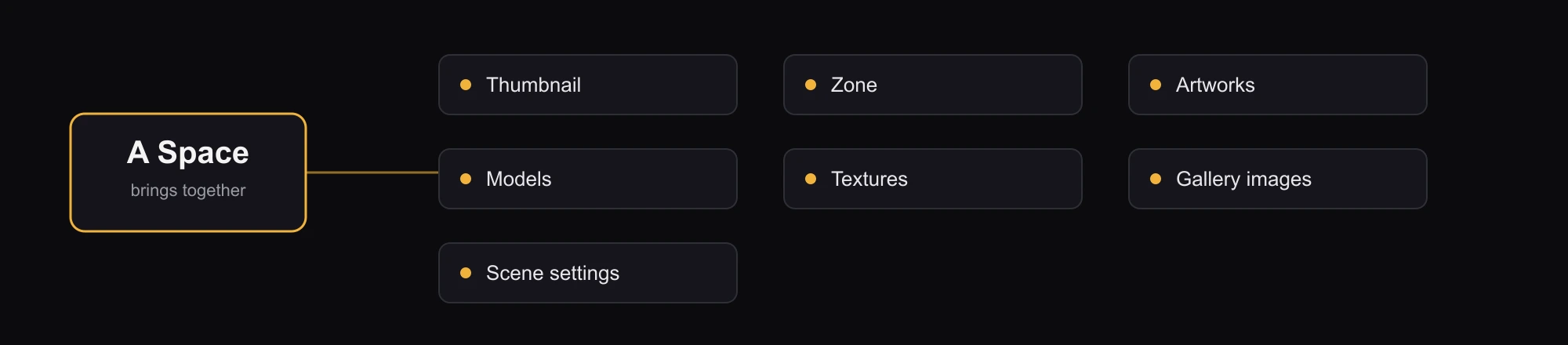
The thumbnail and basic details come from the early steps of creating a Space, while the Zone, artworks, models, textures, and scene are arranged in the Studio. See The Studio and assets for a tour of what you can add.
Draft vs Published
Every Space has a status that controls whether it is finished and live. There are two states:
- Draft — your work in progress. A new Space always starts as a Draft, and it stays a Draft until you decide to publish. Drafts are yours to keep editing.
- Published — a finished Space you have chosen to make live.
To move a Space from Draft to Published, it must have both a thumbnail and a Zone. If either is missing, publishing is blocked until you add them. This keeps every published exhibition presentable from the moment it goes live.
Draft vs Published is about whether a Space is finished — not who can see it. Visibility (Private, Unlisted, Public) is a separate setting. A Published Space is not automatically public, and a Public Space can still be a Draft. The two work together; see Visibility and sharing.
Saving vs publishing
It helps to keep two ideas separate. Saving stores the current state of your 3D scene so your work isn't lost. Publishing changes the Space's status from Draft to Published. Saving never changes whether a Space is a Draft or Published — it only preserves your configuration.